
IMPORTANT ~ READ EVERYTHING HERE ~ FOR EXISTING BIDDERS & NEW BIDDERS LOGGING IN FOR THE FIRST TIME......
Description
IMPORTANT ~ READ EVERYTHING HERE ~ FOR EXISTING BIDDERS & NEW BIDDERS LOGGING IN FOR THE FIRST TIME.
When registering, if email instructions do not appear in your Inbox within 3 minutes, check your spam and other folders. Be sure to whitelist and add our address, [email protected] to your contacts.
NEW BIDDERS: On the AuctionGrooVe.com Home page Click on LOGIN/REGISTER at upper right corner in the red banner. Click REGISTRATION, enter ALL requested information, and follow instructions.
EXISTING BIDDERS: Click LOGIN, click FORGOT PASSWORD, ENTER your BIDDER NUMBER, Click RESET and you will receive an email with instructions. CHECK YOUR EMAIL - CLICK RED - RESET PASSWORD.
**BEFORE YOU CAN BID** After you are logged in, you'll see a colored button labeled, "Register for auction" on the right, just below the colored box with the limited description. Click on that, and a window opens up showing the auction terms with a Blue button that says, "Agree to Terms". Read and accept the terms, Click on the blue button and you will be able to place bids. This is required only one time per auction before you can bid.
GMAIL users—check your Promotions folder or Spam folder and move us to your primary inbox if it's not already there. Or Log into your GMAIL account, open up our email in your inbox. Hover over the [email protected] (sender's name) and a window will pop up. Select the "Add to contacts" icon to save us to your Contacts list. You can also safelist [email protected] in GMAIL before opening our email. To do so, hover over [email protected] (sender's name) next to the subject line in the inbox. Click "More" in the pop-up box. Select "Add to senders" to save us to your Contacts list
Apple mail users—Add us to your VIP list
Outlook users—Add us to your favorites
These "filters" are initiated as security measures by email providers industry wide.
READ THE AUCTION TERMS: Auction Terms may be found in every lot. Click on any lot and look for the "TERMS" Tab. It is just below the photo on your Computer. On your Mobile Device, Tap VIEW LOT DETAILS and you will see the TERMS tab, and others, just below the Photos. BY PLACING BIDS, YOU ARE LEGALLY OBLIGATED TO ABIDE BY AUCTION TERMS. IF YOU DO NOT UNDERSTAND THE AUCTION TERMS DO NOT BID.
TIPS FOR DESKTOP: Click on any photo to enlarge or scroll left or right to desired photo by clicking with your cursor or using the arrows on your keyboard. If you click it again the photo will enlarge even more. You can drag the enlarged photo around to view different areas or use icons in the upper right corner to Zoom, Full Screen Share and Close. You can use the Back Arrow at the top of your browser too. WATCH LIST: Login and click the Red Eyeball at the bottom of the lot to add an item to your Watch List. Click on an individual lot and scroll to User Links near the bottom to view All Watched items, even if they're from multiple auctions.
SEARCH BAR: To search our auctions, go to the top of each page directly above the lots, find Search, and type in items of interest and search to see if there are any items you seek. Think outside the box to account for misspelled words, different terminology, unknown - unidentified - incorrectly identified items.
TIPS FOR MOBILE DEVICES: Click on any photo to access all photos for that lot and scroll left and right to view. Click again to enlarge and scroll or pinch to zoom in and out for super close up views. Use icons in the upper right corner to view Full Screen, Share and Close photos OR slide the enlarged photo up to remove it from view. Select Red Button for Previous Lot or Next Lot or select Back to Catalog at top of screen to view all lots stacked in order.
CONTACT US: Go to the Home Page or at the bottom of any lot and fill in the form. If you discover any tips or have any (helpful) suggestions, please contact us using the form or send your tips to [email protected]. If it is urgent please call 608-792-2437 However, we may not be available at auction closing time so DO NOT WAIT UNTIL THE LAST MINUTE TO CONTACT US.
HELPFUL TIPS - FIND INVOICES -
1) Login to AuctionGrooVe.com. 2) Scroll to bottom of page, find USER LINKS at bottom center of page, just below that click ACCOUNT to open the next page. 3) On upper left, just below ACCOUNT, find tabs for invoices, credit cards & more. 4) SIGN UP & PICK UP INSTRUCTIONS WITH LOCATION LINK IS FOUND ON CURRENT INVOICE AFTER AUCTION ENDS. You can view all of your past invoices here as well. 5) Stay GrooVy!
EXISTING BIDDER INSTRUCTIONS TO ADD A CREDIT CARD - PAYMENTS & MORE: Modifications/updates cannot be made to an existing credit card. You must first ADD the new credit card, then DELETE the old credit card.
#1) Login to AuctionGrooVe.com
#2) Click on ACCOUNT found at the Top and Bottom of Every Page
#3 Click on CREDIT CARDS
#4) Click on ADD CARD
#5) FILL IN IN ALL FIELDS
#6) Click On ADD to save Credit Card information
#7) Click on Invoices to select and pay your invoice(s)
NO BIDS HERE SEE OTHER LOTS
More lots in this auction
 Lot 1
Lot 1*Bluffside Estate ~ Online Estate Auction Bids End Tuesday September 1st at 7:15PM South La Crosse WI 54601 Shipping is available on Select Items, Pl
Asking bid$10
Bidding ends
September 2, 2026
Wisconsin
 Lot 3
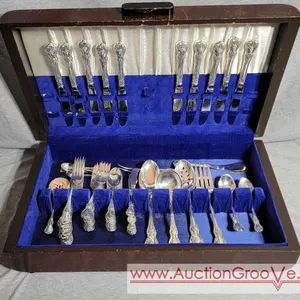
Lot 3Towle Old Master Sterling Silver service. Ten - Four piece place settings which includes 10 each Dinner Forks, Dessert forks, Teaspoons and Knives. Ad
Asking bid$100
Bidding ends
September 2, 2026
Wisconsin
 Lot 4
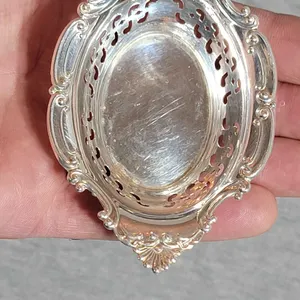
Lot 4A pair of Gorham Sterling Silver reticulated nut or mint dishes. Each is marked Gorham Sterling 4780. Total weight is 48g. O
Asking bid$20
Bidding ends
September 2, 2026
Wisconsin
 Lot 5
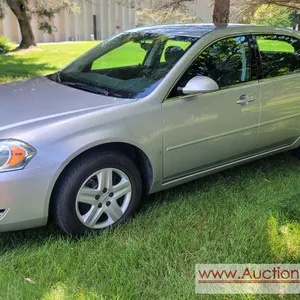
Lot 52008 Chevrolet Impala with 36,000 Miles, 4 Door Sedan. 6 cylinder 3500, fwd, Air, Cruise, tilt, power locks, power windows, power trunk, remote with
Asking bid$500
Bidding ends
September 2, 2026
Wisconsin
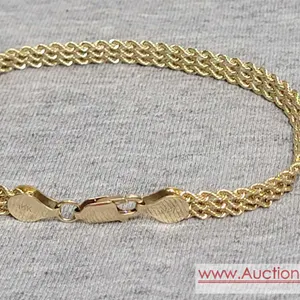 Lot 6J
7 inch Gold Bracelet marked 14K. 6.6 grams. JB
Asking bid$100
Bidding ends
September 2, 2026
Wisconsin
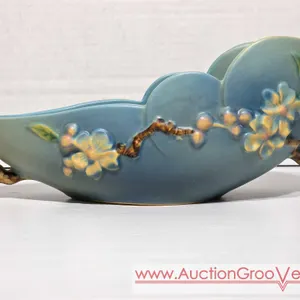 Lot 7
Lot 7Roseville Apple Blossom Blue Console Bowl. 329-10. LR
Asking bid$10
Bidding ends
September 2, 2026
Wisconsin
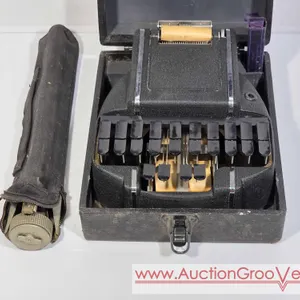 Lot 8
Lot 8Hedman Company Stenograph. 30625. Includes Tripod. LR
Asking bid$10
Bidding ends
September 2, 2026
Wisconsin
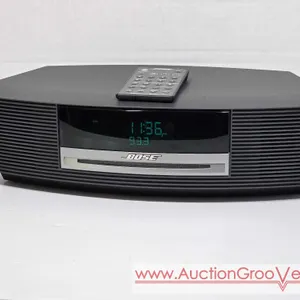 Lot 9
Lot 9BOSE Wave Music System. Model AWRCC1. CD, Radio, AUX. Works as it should. The screen has a scuff mark on it, iI tried cleaning it but it did not come
Asking bid$10
Bidding ends
September 2, 2026
Wisconsin
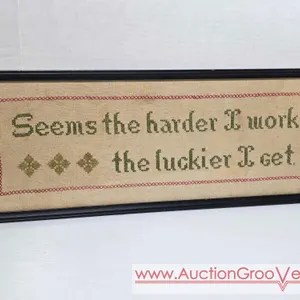 Lot 10
Vintage Cross Stitch. Seems the harder I Work the luckier I get. 21 x 8. LR
Asking bid$5
Bidding ends
September 2, 2026
Wisconsin
 Lot 11
Signed 1998 Josh Simpson MFG Boston 4" Paperweight. LR
Asking bid$10
Bidding ends
September 2, 2026
Wisconsin
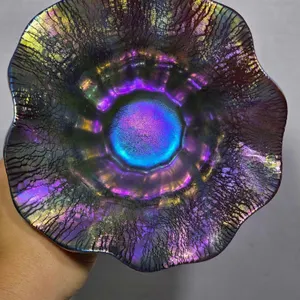 Lot 12
Signed Lundberger Studios 2000. 0812R37. Iridescent Ruffle Edge Bowl. 5.5 x 2.5. LR
Asking bid$10
Bidding ends
September 2, 2026
Wisconsin